Our access control apps
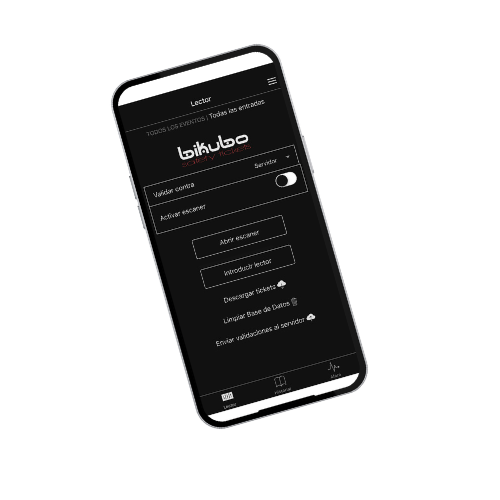
 Bikubo
App to validate tickets using the device camera — fast, secure and offline-capable.



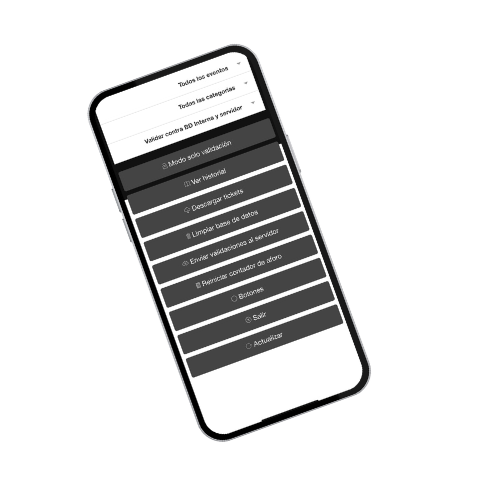
 BikuboBT
App to control access with Bluetooth readers or scanners — designed for high-volume, professional validations.

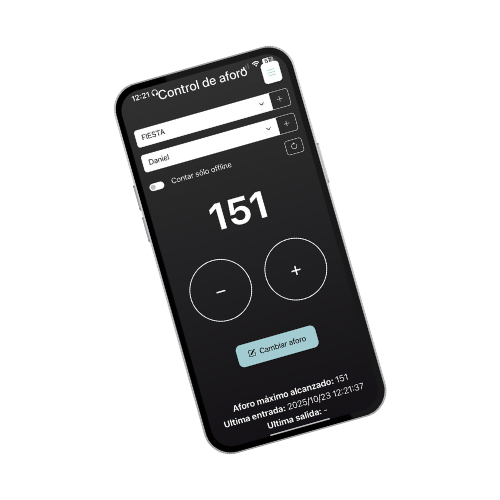
 Bikubo-counter
App to count attendees manually, adding or subtracting entries without scanning.

 Device camera
 Mobile phones / tablets
 Online / Offline
 Statistics
 Robust app
 Free
Free
 Standard events
Professional reader
Mobile phones or phones with
Standard events
Professional reader
Mobile phones or phones withattached readers / PDAs
Online / Offline
Statistics
Robust app
Free
High attendance
Manual
Mobile phones / tablets
Online / Offline
Statistics
Robust app
Free
Capacity control
Bikubo
App to validate tickets using the device camera — fast, secure and offline-capable.
BikuboBT
App to control access with Bluetooth readers or scanners — designed for high-volume, professional validations.
Features
Free, just for being a bikubo user
 Access with your unique bikubo username and password.
Works on any Android or iOS phone or tablet.
Access with your unique bikubo username and password.
Works on any Android or iOS phone or tablet.
 Sound and visual validation feedback
 Easy to use
 Multi-device: multiple access points can operate simultaneously.
 Access control: scan or enter the locator quickly and securely.
 Online and offline, no Wi‑Fi or internet required
 Modular. With a menu adaptable to event needs
Security: prevents fraud with encryption and restricted access.
Statistics. Monitor your event data
Modular. With a menu adaptable to event needs
Security: prevents fraud with encryption and restricted access.
Statistics. Monitor your event data
How it works
01

Download the app
Login
Log in with your bikubo username and password
03

Scan the QR or barcode at the event entrance.
04

The system will tell you whether the ticket is valid or not
05

Allows adding the locator as extra security
06

Works online and offline (see instructions).
Bikubo-counter
App to count attendees manually, adding or subtracting entries without scanning.